







iOS 27 brings a much smarter Siri, faster performance, new photo tools and smaller upgrades that could change how people use their iPhones every day.
iOS 27 has landed, and this update is unusually easy to underestimate.
There is a redesigned look, faster performance and the usual collection of small improvements. But the bigger story is that Apple is finally pushing artificial intelligence into parts of the iPhone people already use every day.
Apple began rolling out iOS 27 on September 14. Its official software update announcement puts Siri AI at the centre of the release, alongside upgraded photo editing, Safari tools, parental controls and performance improvements.
The catch is that not every feature works on every iPhone. Siri AI and several Apple Intelligence tools require newer hardware, even though the wider iOS update supports older devices.
So after installing iOS 27, these are the nine features worth finding first.
1. Siri AI can finally understand your personal context

This is easily the biggest iOS 27 change.
Siri AI can use information from messages, emails, photos and other parts of your iPhone to answer questions that the old Siri would struggle with.



Imagine asking, “What time is Mum’s flight?” without remembering whether the information came through Mail, Messages or a screenshot.
Siri can search across that personal context instead of forcing you to hunt for it yourself.
That convenience does raise a privacy question. The AI Decode’s reporting on AI chat privacy concerns shows how quickly assistants can become places where deeply personal information accumulates.
Apple’s pitch is that more of the work happens through its privacy-focused system rather than simply sending everything to an outside service.
2. Point your camera at something and ask Siri about it
The Camera app now gets a Siri mode.
Point the iPhone at something and Siri can help explain what is in front of you or suggest an action.
A simple example is a restaurant receipt. iOS 27 can identify items on the bill and help calculate how much each person owes.
That is much closer to the AI experience people have been getting from dedicated chatbots, except the camera becomes the starting point.
It also makes Siri feel less like a voice command box and more like an assistant that understands what you are looking at.
3. Write with Siri can draft text without another app

Writing tools are becoming much easier to reach.
With Write with Siri, you can describe what you need and ask the assistant to produce a draft or improve something you have already written.
That could mean an email, a message or a short piece of text.
Apple has also introduced a dedicated Siri app that can sync conversation history through iCloud, letting users continue a Siri conversation across supported Apple devices.
The wider competition here is getting intense. The AI Decode has covered the increasingly complicated Apple and OpenAI relationship as OpenAI expands deeper into consumer hardware while Apple develops more of its own AI experience.
4. Safari can watch websites for you
This may become one of the sleeper iOS 27 features.
Safari can now notify you when a webpage changes.
Say a pair of shoes is out of stock or a product is too expensive. Instead of reopening the page every day, you can ask Safari to watch it and tell you when the product returns or the price changes.
Safari can also automatically organise groups of tabs by topic.
For people whose browser regularly turns into 47 forgotten tabs, that alone may justify the update.
5. Photos can extend and reframe your pictures
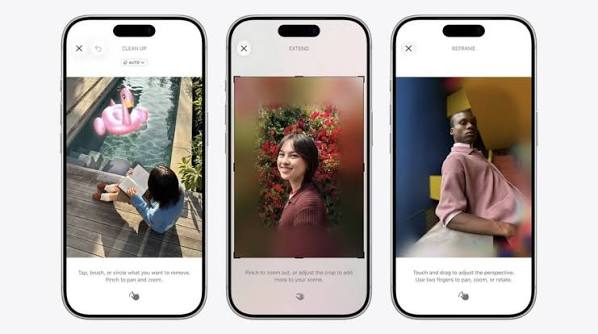
Apple has given the Photos app a much more serious editing toolkit.
Reframe lets you alter the composition of an image. Extend can create additional space around the existing photograph, while Clean Up can remove distracting objects.
The useful part is that these tools sit inside Photos.
You no longer need a separate editing app for a quick fix.
iOS 27 therefore makes generated image editing feel less like a special AI feature and more like another button inside the camera roll.
6. You can describe the Shortcut you want
Shortcuts has always been powerful.
It has also been intimidating.
Building an automation used to involve understanding actions, menus and how different apps connected.
iOS 27 lets users describe what they want in normal language and have the system help build the Shortcut.
You might ask for an automation that sends somebody a message when you reach a location or prepares a particular set of apps before work.
This could make one of Apple’s most useful power-user tools accessible to far more people.
7. Your old iPhone may simply feel faster
Some of the least glamorous changes could matter the most.
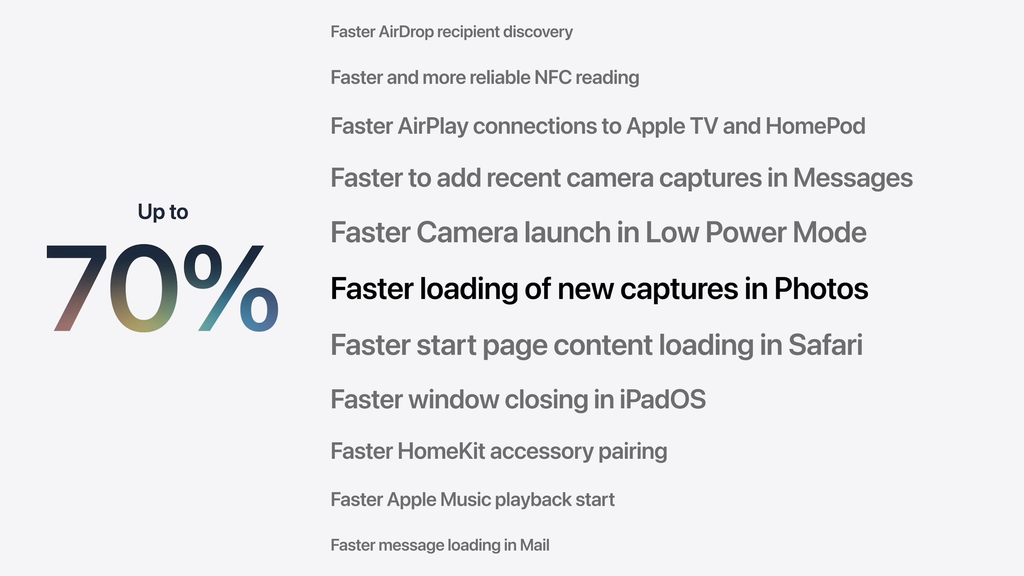
Apple says apps on iPhone and iPad can launch up to 30% faster after the update, while AirDrop transfers can be up to 80% faster.
Photos are also supposed to load faster immediately after being taken.
Independent early coverage from The Verge’s iOS 27 launch report also points to the combination of performance improvements and the new Siri experience as the major changes in the release.
Those improvements will matter more to most people than another flashy home-screen effect.
8. Parents get much stronger controls
Apple has rebuilt parts of Screen Time for families.
Parents can set broader daily limits for categories such as games, entertainment and social media. Schedules can control which apps are available at different points during the day.
There is also Ask to Browse, which can require children to request permission before opening a new website.
Communication Safety can intervene when supported devices detect certain violent or graphic images.
For families, iOS 27 is therefore as much a parental-control update as an AI update.
9. Liquid Glass finally gives you more control
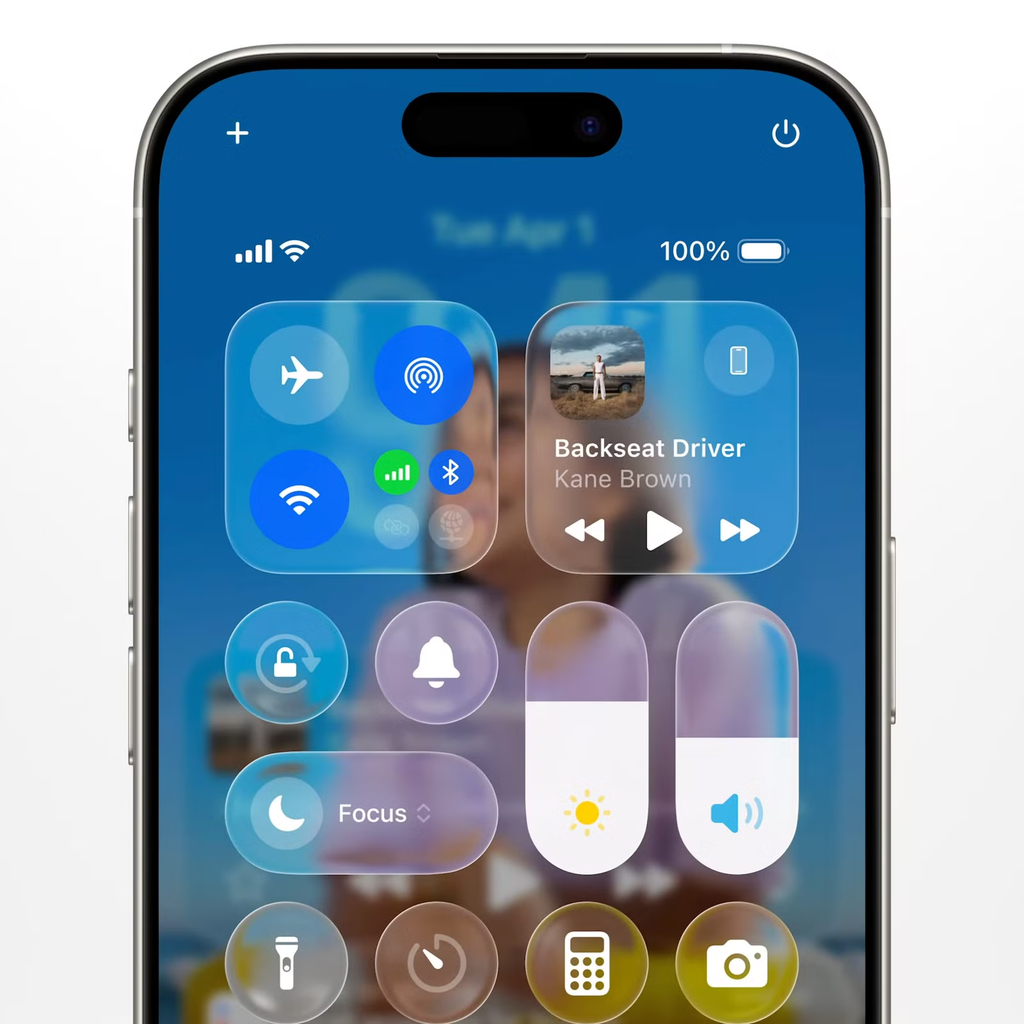
Apple is still refining its Liquid Glass design.
The useful change is simple: you can now adjust it.
A slider in Settings lets users move the interface from very transparent to more heavily tinted.
That may sound minor, but software design becomes annoying very quickly when readability is sacrificed for style.
The new control lets people decide how much of the glass effect they actually want.
There is a broader lesson across iOS 27.
Siri AI will get most of the headlines, but the update feels strongest when intelligence disappears into ordinary jobs: organising tabs, fixing photos, building automations, finding information and making an older phone feel quicker.
That is probably Apple’s safest path into AI.
People may not care which system is running underneath the screen.
They will care if their iPhone finally saves them a few taps.